Photos → 3D scene, trained locally on Mac or iPad.

Gaussian splatting turns ordinary photos into a 3D scene you can walk through. Until now it meant uploading to someone's cloud or buying a tower with an NVIDIA card. SplatCast trains it on the Apple silicon you already own, natively in Metal, and your photos never leave the device.

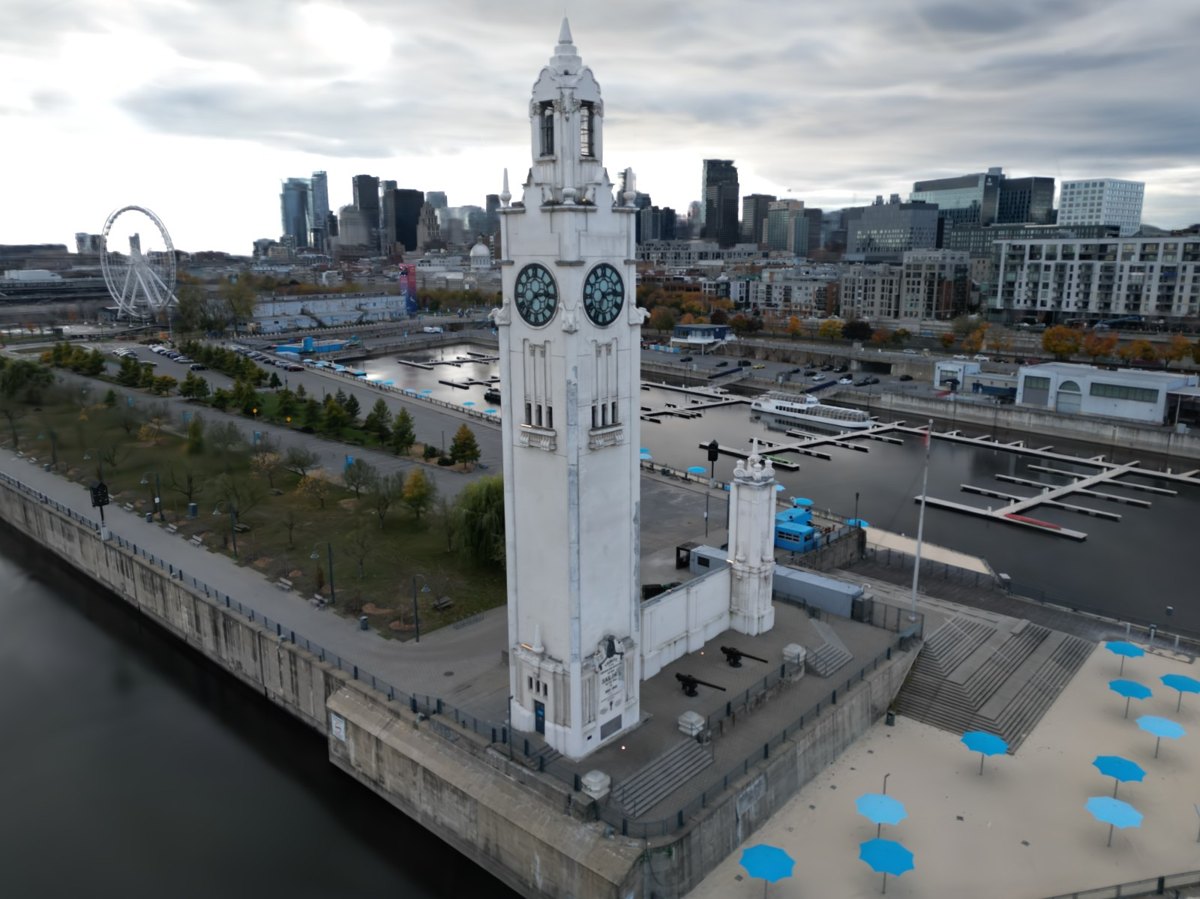
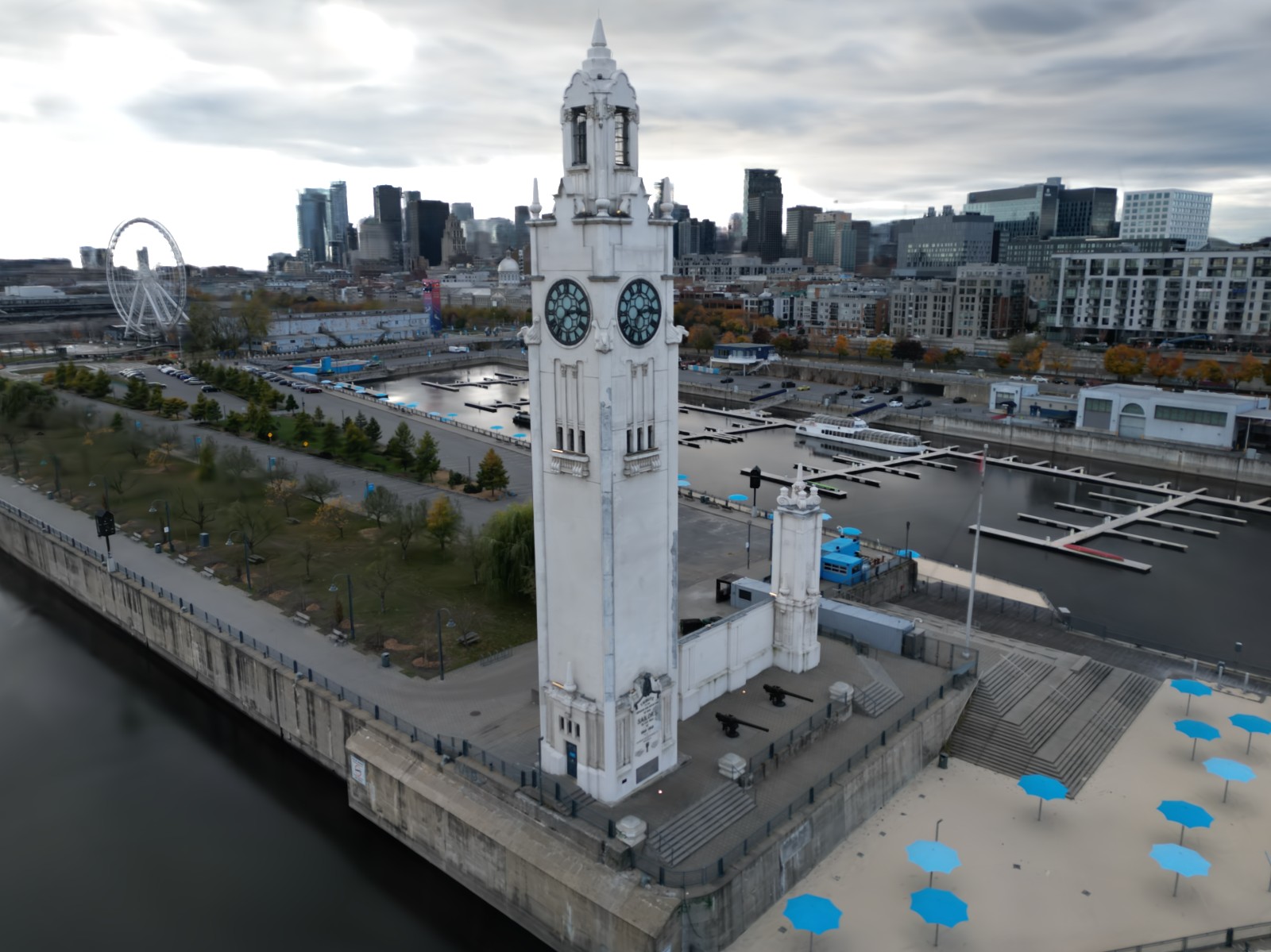
Drone photograph of the white Clock Tower on a pier in Montreal's Old Port, with the downtown skyline, a Ferris wheel and blue parasols on the plaza below. The same view rendered by SplatCast from the trained scene. SplatCast render Photograph
Drag the divider. The left side is rendered from the trained scene. The right side is a photograph that was held back from training. The Clock Tower in Montreal, trained from 219 drone photos. Photos from Heritage3DMtl, Concordia University, CC BY 4.0, lens distortion removed and resized.

Three things splatting was missing.

The research is three years old and the results are stunning. The tools to make them have not caught up.

01 · Mobile

Your phone uploads. Then you wait.

Most capture apps send your photos to a server, train there, and queue you behind everyone else. Apps that train on the phone itself keep scenes small.

SplatCast trains on iPad and Mac, offline, at full quality. No upload, no queue, nothing stored on someone else's servers.

02 · Scale

Big scenes hit a memory wall.

Desktop training lives in graphics-card memory: 24 GB on an RTX 4090. Large sites run out partway through, and the usual fix is to throw detail away.

SplatCast uses Apple silicon's unified memory, up to 512 GB on a Mac Studio. It finished a scene the 4090 could not.

03 · Mac

The best tools assume Windows and NVIDIA.

The reference trainer is written in CUDA, and the leading desktop app needs an NVIDIA card. On a Mac you were left with ports and command lines.

SplatCast is written for Metal from the first line: a drop-in app, about twice as fast as the 4090 reference on a Mac Studio.

Drop, train, view.

  1. A folder of photos, a video, or a COLMAP reconstruction.

  2. Training starts by itself. Watch the scene sharpen and stop when it looks right.

  3. Move through the scene in a native Metal viewer, then export PLY, SOG or SPZ.

Recorded in SplatCast on a MacBook Pro with M4 Pro: 243 drone photos of Saint Joseph's Oratory in Montreal, trained for 30,000 steps in 18 minutes. Training is shown sped up.

On the Mac you already have.

SplatCast is a native app for Apple silicon. Train on a Mac Studio at your desk or a MacBook Pro on the move, and open the result on iPad.

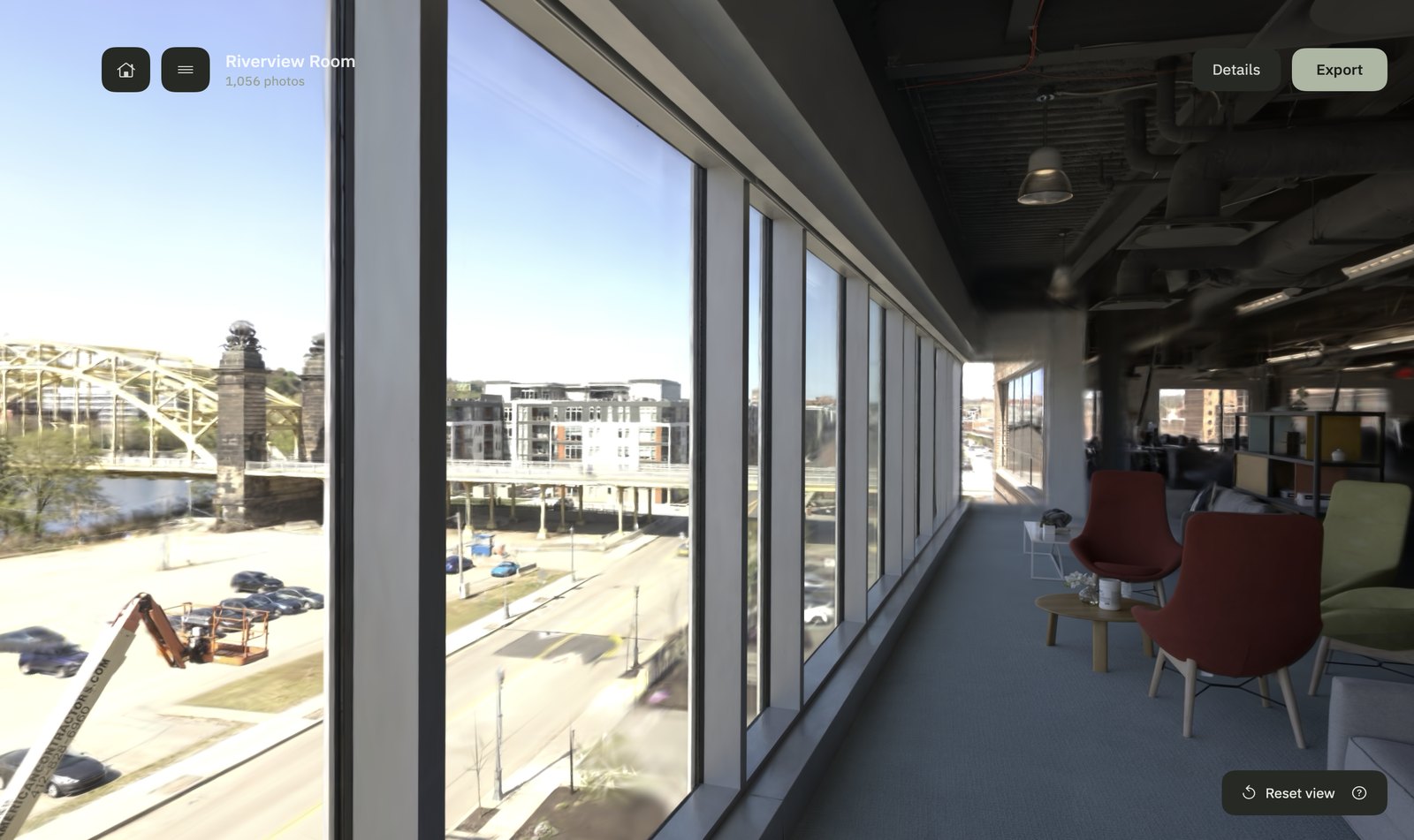
SplatCast on a Studio Display with the Riverview Room scene open: a long row of windows over a river and a bridge, with red and green chairs.
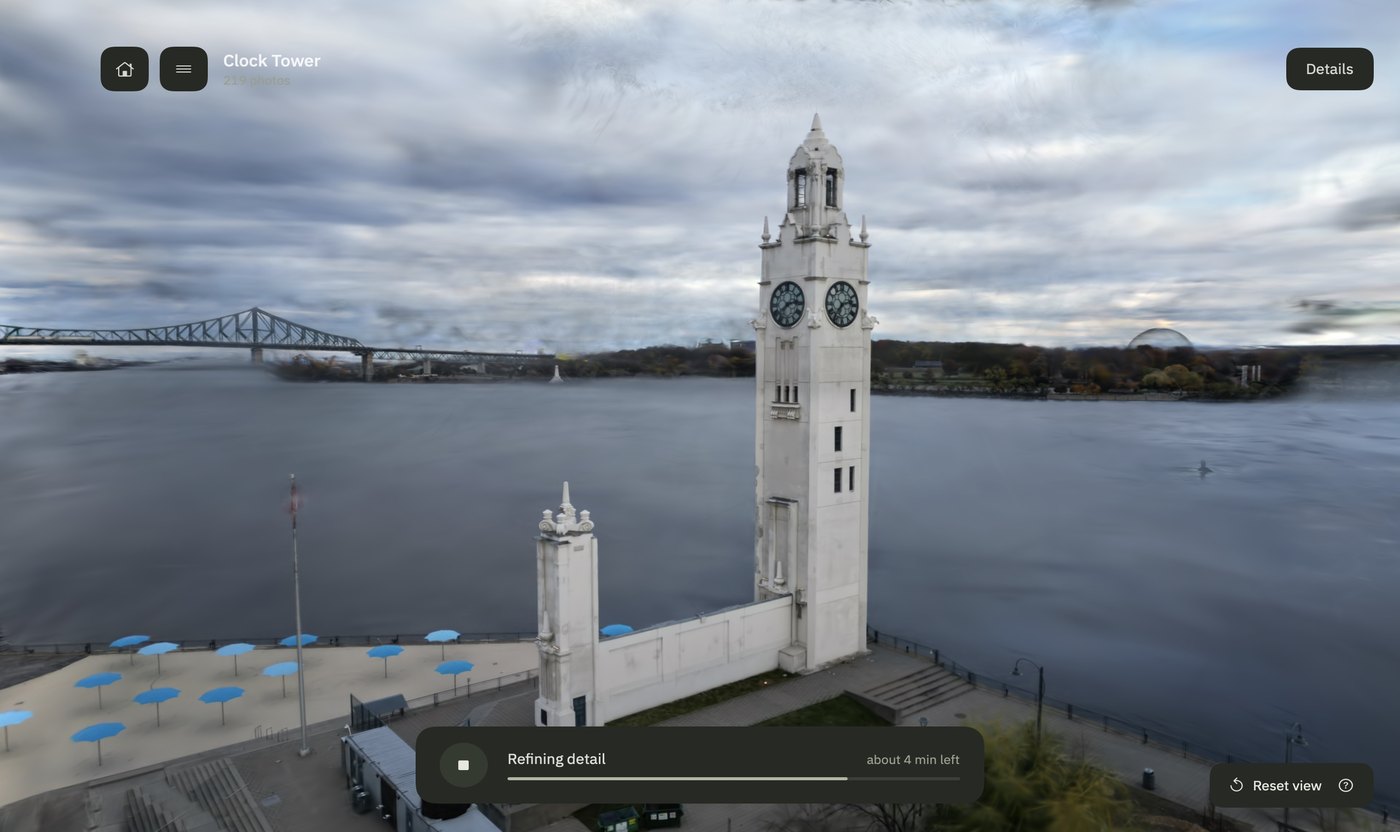
SplatCast on a MacBook Pro while the Clock Tower trains, with a progress bar reading Refining detail, about 4 min left.
The Clock Tower scene open on an iPad.

Studio Display with Mac Studio, MacBook Pro and iPad, drawn around real captures of the app: the Riverview Room in the viewer, and the Clock Tower training. The iPad shows a frame rendered from the Clock Tower scene.

Against an RTX 4090.

The reference for this kind of training is the original CUDA code on an NVIDIA RTX 4090. We trained the same photos with both, to the same 30,000 steps.

About twice as fast.

On a Mac Studio, SplatCast finished both benchmark scenes in a little over half the time the RTX 4090 took, at close to the same quality.

Bicycle, 194 photos

RTX 409028 min
Mac Studio14 min

Rubble, 1,678 drone photos

RTX 409051 min
Mac Studio27 min

It finishes scenes the 4090 cannot.

Ziegeleipark: 512 drone photos at 1600 × 1200 and the same camera solve on both machines. The CUDA trainer ran out of graphics memory three times. SplatCast on the Mac Studio finished.

24 GB
graphics memory on the RTX 4090
64 GB
memory the Mac Studio's GPU shares with its CPU
28.9 GB
SplatCast's peak on this scene

Steps completed, out of 30,000

RTX 4090, try 111,600 · out of memory
RTX 4090, try 211,300 · out of memory
RTX 4090, try 314,800 · out of memory
Mac Studio30,000 · done in 48 min

Try 3 gave the 4090 expandable memory segments. The finished scene has 15.2 million splats.

Fast enough to carry.

The MacBook Pro beat the RTX 4090 on Bicycle as well. Training a scene no longer means sitting at a tower.

MacBook Pro, M4 Pro1.6 kg. Bicycle in 23 min.
Mac Studio, M2 Ultra3.6 kg. Bicycle in 14 min.
Desktop tower with an RTX 4090The card alone weighs 2.2 kg and draws up to 450 W. Bicycle in 28 min.

Mac Studio with M2 Ultra and 64 GB; MacBook Pro 14-inch with M4 Pro; RTX 4090 with 24 GB in a Threadripper workstation running the reference GraphDECO trainer. Times run from launch through the saved scene and leave out camera solving. RTX 4090 runs from September 2026; SplatCast runs from October 2026, the Mac Studio on the same prepared photos, the MacBook Pro on the original Bicycle photos resized to the same 1600 × 1063. Quality, scored with each project's own renderer: Bicycle 25.09 against 25.16 dB, Rubble 26.24 against 26.46 dB. Other CUDA trainers and memory offloading were not tested. Weights from Apple and NVIDIA specifications; the tower is drawn at a typical full-size case. Bicycle and Rubble are the Mip-NeRF 360 and Mill 19 research scenes; Ziegeleipark photos are CC0.

Measured on real Macs.

Each bar is one full training run of 30,000 steps. Quality is measured on photos held back from training, in decibels: higher is closer to the photograph.

Bonsai and Bicycle are the Mip-NeRF 360 research benchmarks. Clock Tower photos are 2.8 megapixels and Riverview Room photos 3.3, two to three times the size of the benchmarks.

Bonsai, 292 photosMac Studio, M2 Ultra
7 min · 32.3 dB
Bicycle, 194 photosMac Studio, M2 Ultra
13 min · 25.2 dB
Bicycle, 194 photosMacBook Pro, M4 Pro
23 min · 25.2 dB
Clock Tower, 219 photosMacBook Pro, M4 Pro
30 min · 28.4 dB
Riverview Room, 1,056 photosMacBook Pro, M4 Pro
43 min · 29.3 dB
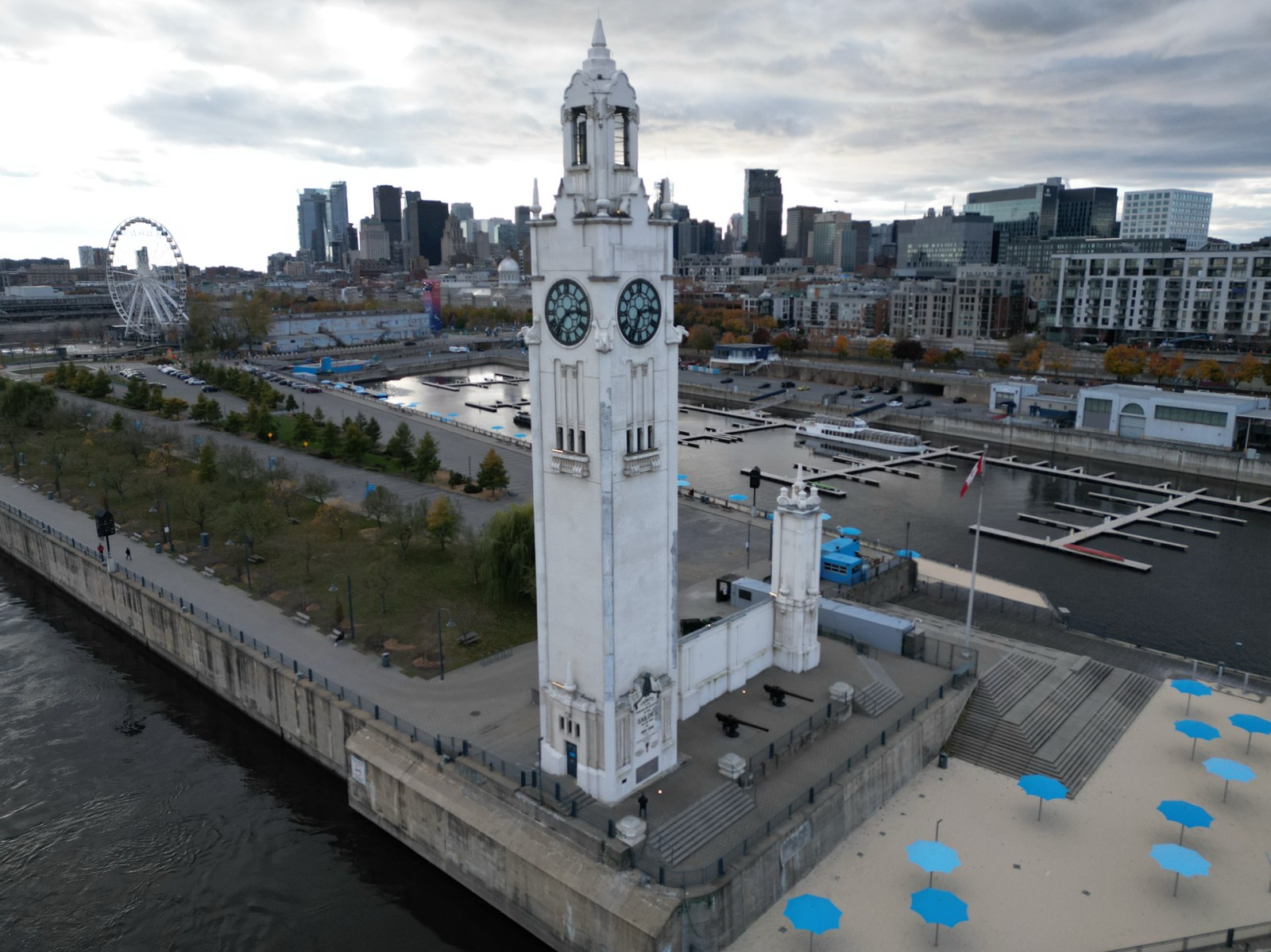
Scenes that come with the app.

Open one and look around before you train your own, here in the browser or in the app. Each was trained in SplatCast from openly licensed photos.

Clock Tower

219 drone photos from Heritage3DMtl by Rucha Shende, Sudhir Mudur, Tiberiu Popa and Kaustubha Mendhurwar, Concordia University, CC BY 4.0. Undistorted and cropped.

16.6 MB in the browser

Saint Joseph's Oratory

243 drone photos from Heritage3DMtl by Rucha Shende, Sudhir Mudur, Tiberiu Popa and Kaustubha Mendhurwar, Concordia University, CC BY 4.0. Camera positions rebuilt; undistorted.

18.8 MB in the browser

Riverview Room

1,056 photos. From Eyeful Tower, © Meta Platforms, Inc. and affiliates, MIT licence.

17.9 MB in the browser

Montreal City Hall

247 drone photos from Heritage3DMtl by Rucha Shende, Sudhir Mudur, Tiberiu Popa and Kaustubha Mendhurwar, Concordia University, CC BY 4.0. Camera positions rebuilt; undistorted; reduced to 1.2 million splats.

18.5 MB in the browser

Eyeful Apartment

3,804 rig photos. From Eyeful Tower, © Meta Platforms, Inc. and affiliates, MIT licence. Reduced to 1.2 million splats.

17.8 MB in the browser

In the browser, Riverview Room, City Hall and the apartment are reduced to 1.2 million splats so they load on a phone. The app ships every scene in full. The viewer is PlayCanvas's open-source SuperSplat viewer.

Scene

Drag to turn, scroll or pinch to zoom.

Your photos stay on your Mac.

Scenes are processed and stored on this Mac. Nothing is uploaded.

Free to train and view.

Train as much as you like on every plan. Pay when you want to take your scenes elsewhere.

Free

For trying it on your own photos.

$0

  • Unlimited training and viewing
  • A watermark across the viewer
  • No export
Compare every feature
FeatureFreeProStudio
Training and viewingUnlimitedUnlimitedUnlimited
ViewerWatermarkedCleanClean
Export as PLY, SOG or SPZ–
Training resolutionUp to 1,600 pxUp to 1,600 pxFull resolution
Commercial use–IndividualsCompanies
New training features first––

Prices in US dollars. Subscriptions renew until cancelled and can be cancelled any time from your account page or, for App Store purchases, your Apple Account.

SplatCast for Mac

Needs a Mac with Apple silicon and macOS 14 or later.

Download for Mac

[Download link to be added at release]